How to Check SASSA Status on GovChat?
GovChat is a useful tool that everyone should try at least once. It brings many government services together in one place. One of the most helpful services it offers is checking your SASSA status check. You can also apply for the SRD R370 grant through it easily.
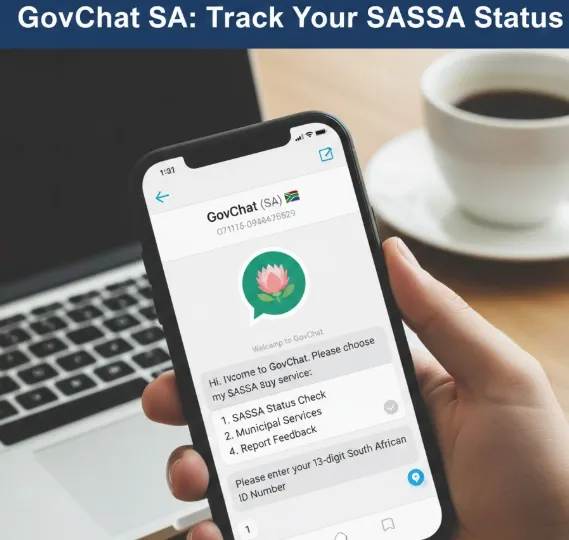
I personally used the GovChat app and website to check my SASSA SRD grant status. I found it very user-friendly, with a simple layout that makes navigation smooth. The best part is that it offers this service completely free.
In this guide, I will show you the exact steps to check your SASSA grant application status using GovChat. Let’s get started!
How Can You Check SASSA Status In 2026?
In 2026, there are several simple ways to check your SASSA grant application status. Here are some of the most convenient options:
Each of these methods makes it easy to see your application progress without long waits or travel.
How to Track SRD Grant Application Status on GovChat?
Here’s an easy way to check your SRD status using GovChat:
1) Go to the Official GovChat Website
Start by visiting www.govchat.org
Always make sure you are on the official website to avoid scams.
2) Select “For Citizens”
On the homepage, you will see two options: “For Citizens” and “For Government.” Since we are checking our SASSA status as citizens, click “For Citizens.”
3) Click the “GovChat Now” Button
Next, click the “GovChat Now” button. A popup will appear with three choices:
- GovChat Now on the App
- GovChat Now on Messenger
- GovChat Now on WhatsApp
4) Check SASSA Status
Pick the method you prefer, Messenger or WhatsApp, and start a conversation with the GovChat chatbot. To check your SASSA status, you will need to provide your South African ID number and phone number. The chatbot will then show your application status right away.
GovChat
GovChat is a citizen-focused platform that lets South Africans connect directly with government services through both mobile and online channels.
The platform was created by Eldrid Jordaan, son of well-known activist and trade unionist Paul M Jordaan. In January 2018, GovChat received official approval from the South African government to operate as a citizen-government engagement tool.
Soon after, the journey became tough. GovChat faced serious financial struggles, and Eldrid had to invest all his personal savings to keep it running. Life became extremely difficult, he had to move back into his mother’s home with his wife and two children, and at one point, he couldn’t pay their school fees, leading to their temporary suspension. It was a challenging period that tested his resolve.
Just when things seemed impossible, an anonymous investor who had been following Eldrid’s work reached out. Moved by his dedication, the investor offered US$1 million to revive and expand GovChat.
That moment changed everything. Today, GovChat is a thriving platform with over 9 million active users. It has processed more than 12.5 million SASSA grant applications, helping millions of South Africans access essential government services efficiently.
How to Apply for SASSA Grant on GovChat?
Not all SASSA grants can be applied for online through GovChat. Some grants, like the Older Person’s Grant or Foster Child Grant, require a visit to the nearest SASSA office with supporting documents. However, you can apply for the SRD R370 grant or the Disability Grant using GovChat.
1) Start the Application via WhatsApp or Messenger
Choose either WhatsApp or Facebook Messenger to begin chatting with the GovChat bot. The WhatsApp number is +27 082 046 8553. Save it in your phone to start the process.
2) Request to Apply for a SASSA Grant Online
Tell the chatbot that you want to apply for the SRD Grant or Disability Grant. The bot will ask for your personal details, including:
- First and Last Name
- Email Address
- Home Address
- Phone Number
3) Upload Your Documents
Next, upload the required documents. For the SRD grant, submit a PDF of your last three months’ bank statements. For the Disability grant, provide a PDF medical report that confirms your disability.
4) Complete the Form and Submit
Fill in the application form with all your details and ensure the information is correct. Once everything is ready, submit your form and wait for the grant approval.