
SASSA SRD Status Check on MoyaApp
MoyaApp is one of the most viral and useful data-free apps in South Africa. It has more than 50 million downloads and millions of people are using it. The app provides data-free access to all the SASSA websites. Whether you need to apply for SRD grant or need to know your SASSA status check response, this app is all you need.
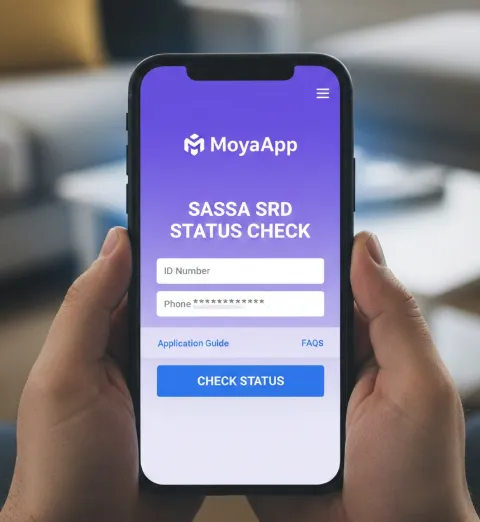
In this guide, you will learn how you can check the SRD grant application status without using the internet. The MoyaApp is the best app when you are out of airtime.
What is MoyaApp?
MoyaApp is an all-in-one app that offers messaging, calls, and interaction with SASSA services. However, the MoyaApp is not associated with SASSA, but it offers a data-free mode to access all the SASSA official web portals.
Users can get access to 300+ apps and websites on MoyaApp. The Discover and Transact feature on the MoyaApp allows users to access the SASSA websites without airtime or mobile data.
Moreover, you can use other methods, including WhatsApp, SASSA mobile app or GovChat to check your R370 payment status.
How to Check SASSA Status on MoyaApp? No Airtime or Data Needed
If you want to check your SRD R370 (previously R350) grant status online without using mobile data, MoyaApp makes it easy. Follow these simple steps to see your status in minutes.
1. Get the MoyaApp on Your Phone
First, you need to download the MoyaApp. It works on both Android and iOS devices.
Make sure your phone has enough storage for the app.
2. Install and Open the App
After downloading, install the app and open it. The setup is quick and does not take long. Once launched, you are ready to check your SRD status.
3. Tap on the “Discover” Icon
Inside the app, look for the “Discover” icon in the middle of your screen. Tap on it to open a new menu.
4. Go to “Services”
In the Discover menu, find the “Services” option. Open it to see available options.
5. Select “SRD R350 Datafree”
Under Services, you will find two choices: SRD Grants and SRD R350 Datafree. Tap SRD R350 Datafree to continue. This option lets you check your grant without using mobile data or airtime.
6. Enter Your Details to Check Status
Now, you will see a new page with a simple tool to check your grant status. Enter the following:
- Your ID number
- Your phone number
Submit the information, and your SRD grant status will appear instantly.
How to Apply for the SRD R370 Grant on MoyaApp?
Users can also apply for the SRD grant with MoyaApp.
1. Open MoyaApp and Go to Discover
Launch the MoyaApp on your smartphone. Tap the “Discover” icon in the center of the app to open the menu.
2. Choose “Services”
In the Discover section, find and tap “Services”. This will show you all available service options.
3. Select “SASSA Grants”
Under Services, tap “SASSA Grants” to access grant-related options.
4. Choose “SRD R370 COVID-19 Grant”
From the list of grants, select “SRD R370 COVID-19 Grant”. This will guide you to the application page.
5. Follow the Application Link
Tap the provided link to open the official SRD application form.
6. Enter Your Personal Details
Fill in the form carefully with accurate information:
- ID Number
- Full Name and Surname
- Email Address
- Gender
- Highest Education Level
- Last Employment Date
- Disability Status (Yes/No)
- Citizenship Status (Citizen / Asylum Seeker / Special Permit Holder / Refugee)
- Home Address (Include city, province, district, municipality, and ward number)
- Cell Phone Number (for SMS updates)
7. Submit Your Application
Double-check all the details. Once everything is correct, tap Submit.




change number but it’s not weeking end bank account still pending since January until now I didn’t get money in post office from June and july. week .
Change number but I don’t receive nuw.bank deathly it’s pending since January until now
Hi Bulela, you need to visit the srd.sassa.gov.za portal and add your own bank account details. Also, ensure that your bank is not in a dormant status. Thanks